storybranch
AlphaLocal visual diffs for Storybook
Capture stories as PNGs, pixel-diff against baselines on disk, and accept changes in a browser review UI — no cloud required.
$ bunx storybranch test --url http://127.0.0.1:6006Requires a running Storybook. Clone from GitHub if the package is not published yet.
$ bunx storybranch test --url http://127.0.0.1:6006
capturing 12 stories…
✓  Button/Primary          unchanged
✓  Button/Secondary        unchanged
✗  Card/Default            changed  (142 px)
+  Avatar/Large            missing baseline

storybranch review at http://127.0.0.1:4321
Capture, diff, accept — on your machine
The same loop as cloud visual testing, kept local.
01
Capture
Point storybranch at your Storybook URL. It walks the story index and writes PNGs under .storybranch/.
storybranch test --url …
02
Diff locally
Baselines live in git. Actuals and pixel diffs stay on disk — no Chromatic upload, no account.
.storybranch/baseline · actual · diff
03
Review & accept
Open the review UI to compare baseline / actual / diff, then Accept per shot or approve everything from the CLI.
storybranch review · approve
Review changes in the browser
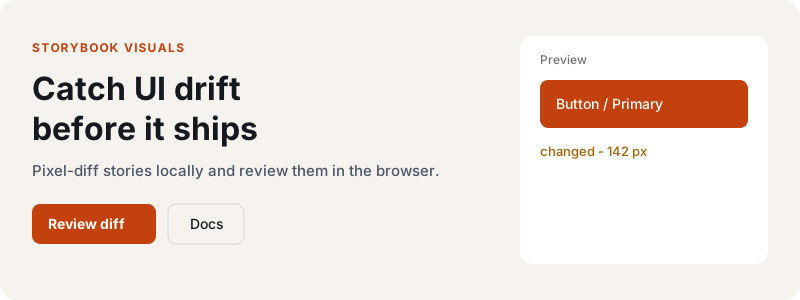
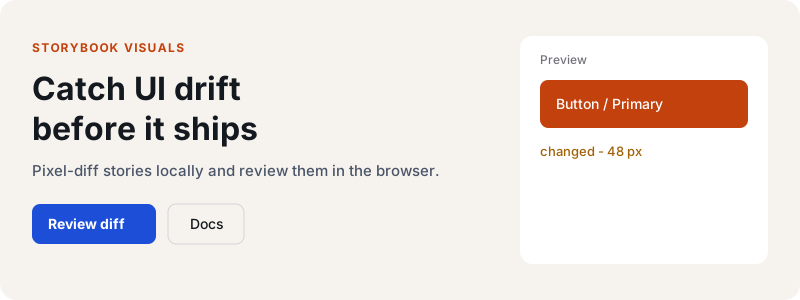
When something drifts, storybranch serves a local UI to compare baseline vs this scan (with an optional diff overlay) and accept updates.
storybranch review
commit a589471 · 5 snapshots
No baseline

Three commands, then ship
No dashboard signup. Baselines are files you already know how to review in a PR.
Step 1
Run Storybook
Start your Storybook instance locally (or wherever Chromium can reach it).
$ bunx storybook dev -p 6006Step 2
Capture & diff
storybranch walks the story index, writes PNGs, and compares them to committed baselines.
$ bunx storybranch test --url http://127.0.0.1:6006Step 3
Review or approve
Open the review UI for changed shots, or promote every actual from the CLI in one step.
$ bunx storybranch review # or: storybranch approve
Run it on your Storybook
Start Storybook, point storybranch at it, and review the diffs locally.